How to add your clan and set up its card
Updated 19.11.2026 · Author: VikingsBase
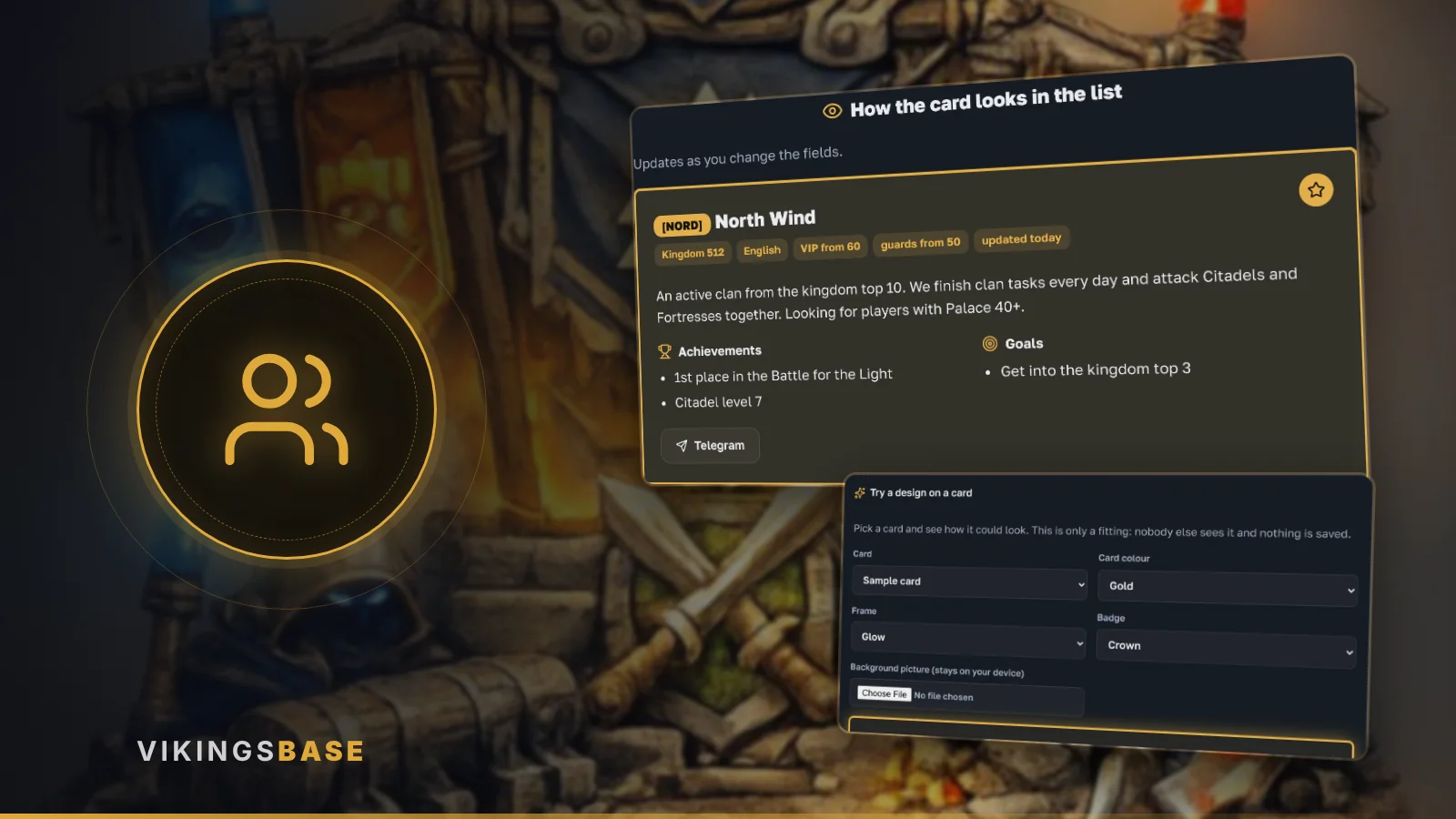
How to get your clan into the site's clan list and fill in its card. No sign-in is needed: everything works through one link.
Where to apply
Open «Clans» and press «Submit your clan» at the bottom.
What to fill in
- the clan tag and name, kingdom and language
- requirements: minimum VIP and guards
- the announcement: what the clan offers and who you are looking for, 20 characters or more
- achievements and goals, one per line (optional)
- at least one way to reach you: Telegram, Discord, VK or in-game nickname
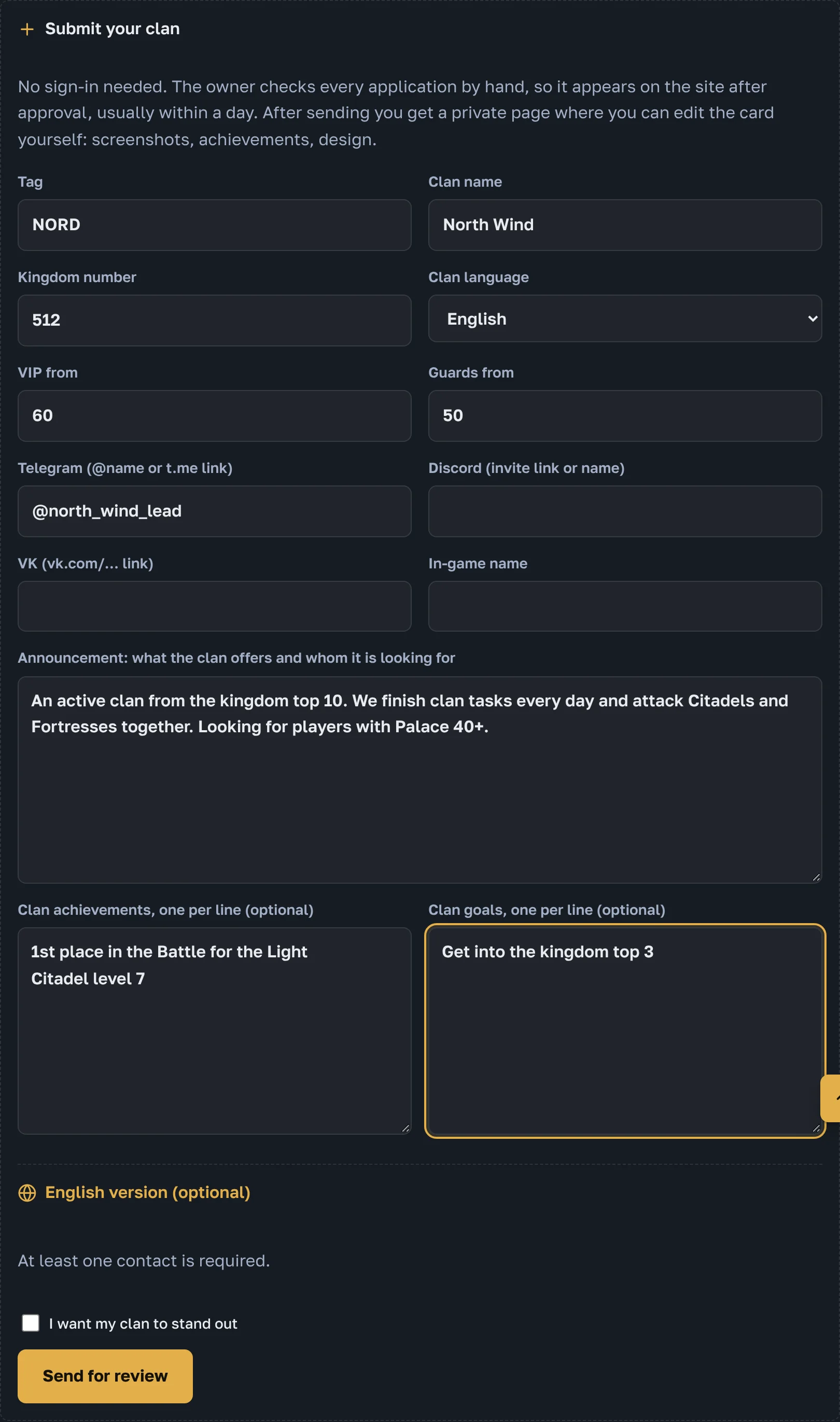
The «Highlight my clan» box asks for a paid highlight: such a clan sits at the top of the list with its own colour and background. The site owner will send the terms to your contact.
Your dashboard
Right after sending, the dashboard of your card opens. Bookmark this page: its address lets you edit the card later yourself.
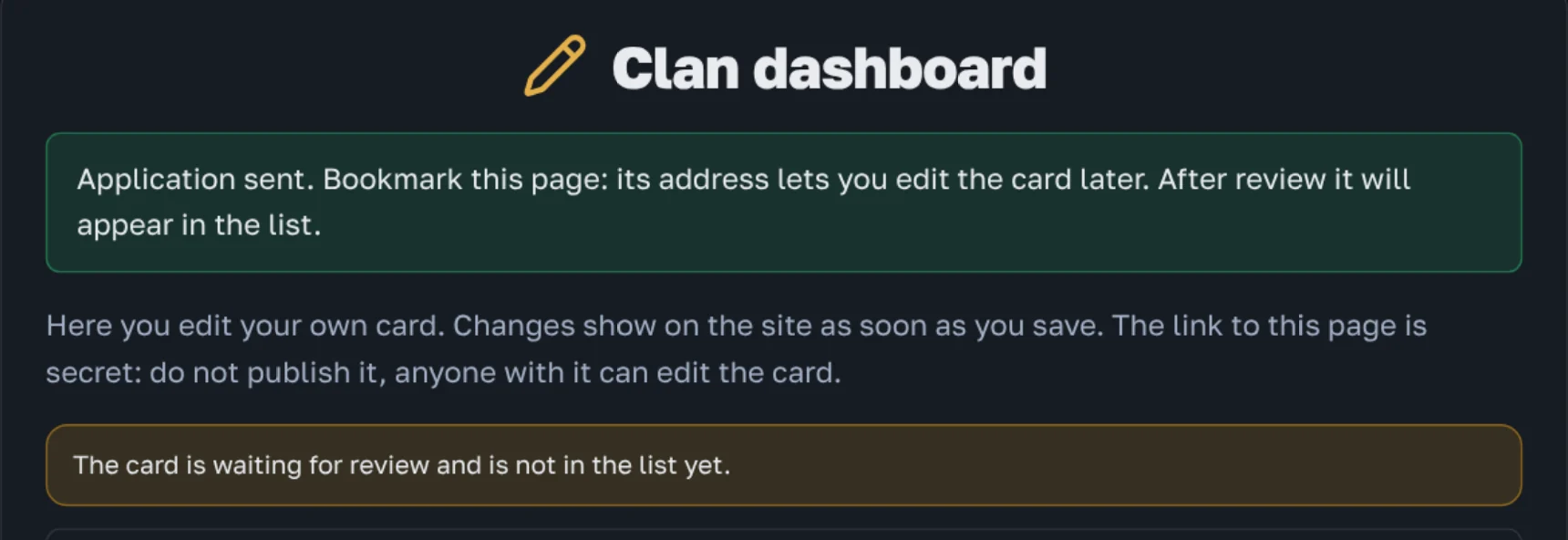
The dashboard link is secret. Do not publish it: anyone with it can edit the card.
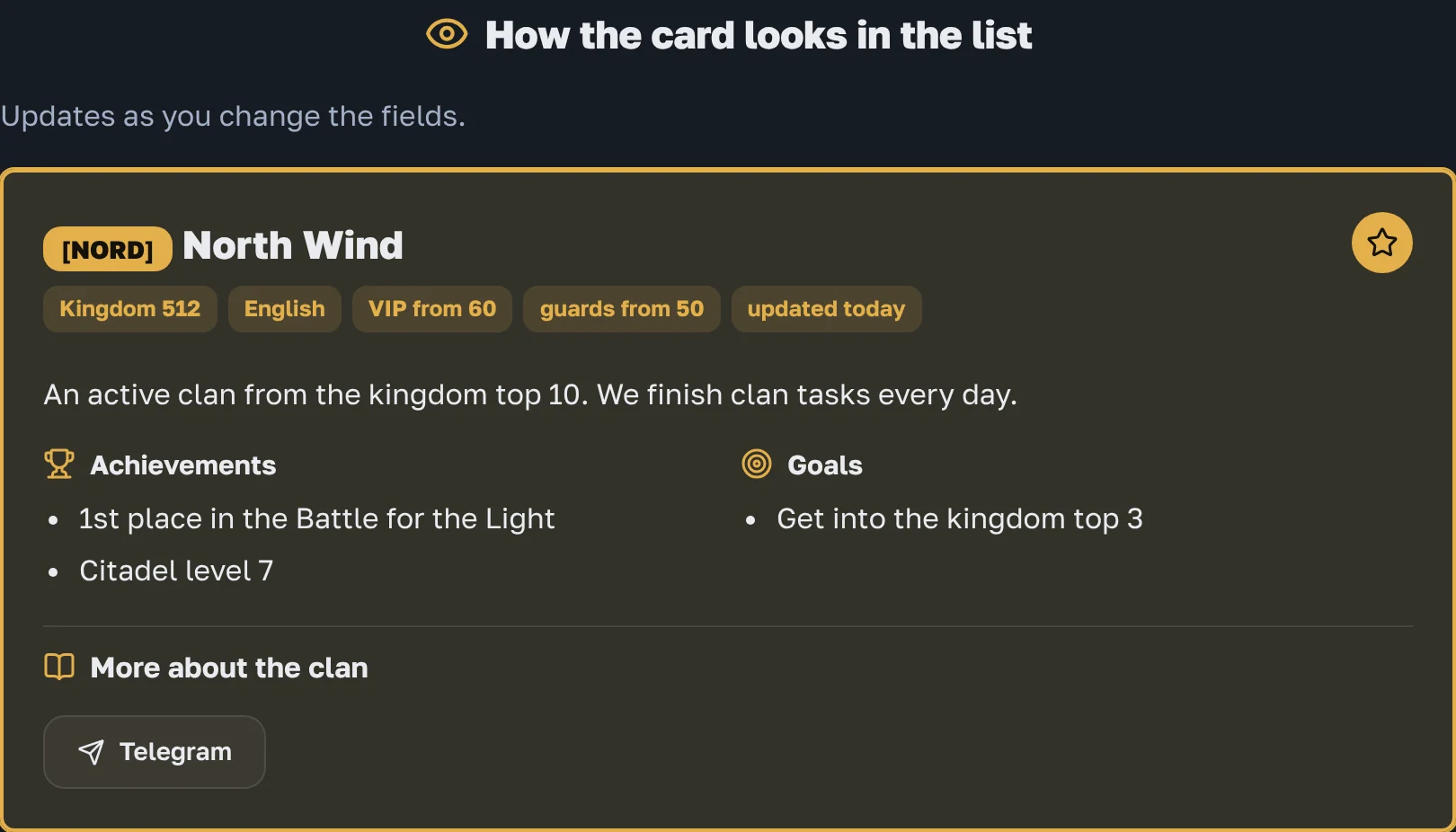
How the card looks in the list
The dashboard has a live preview: change a field and the card updates at once.
Dashboard sections
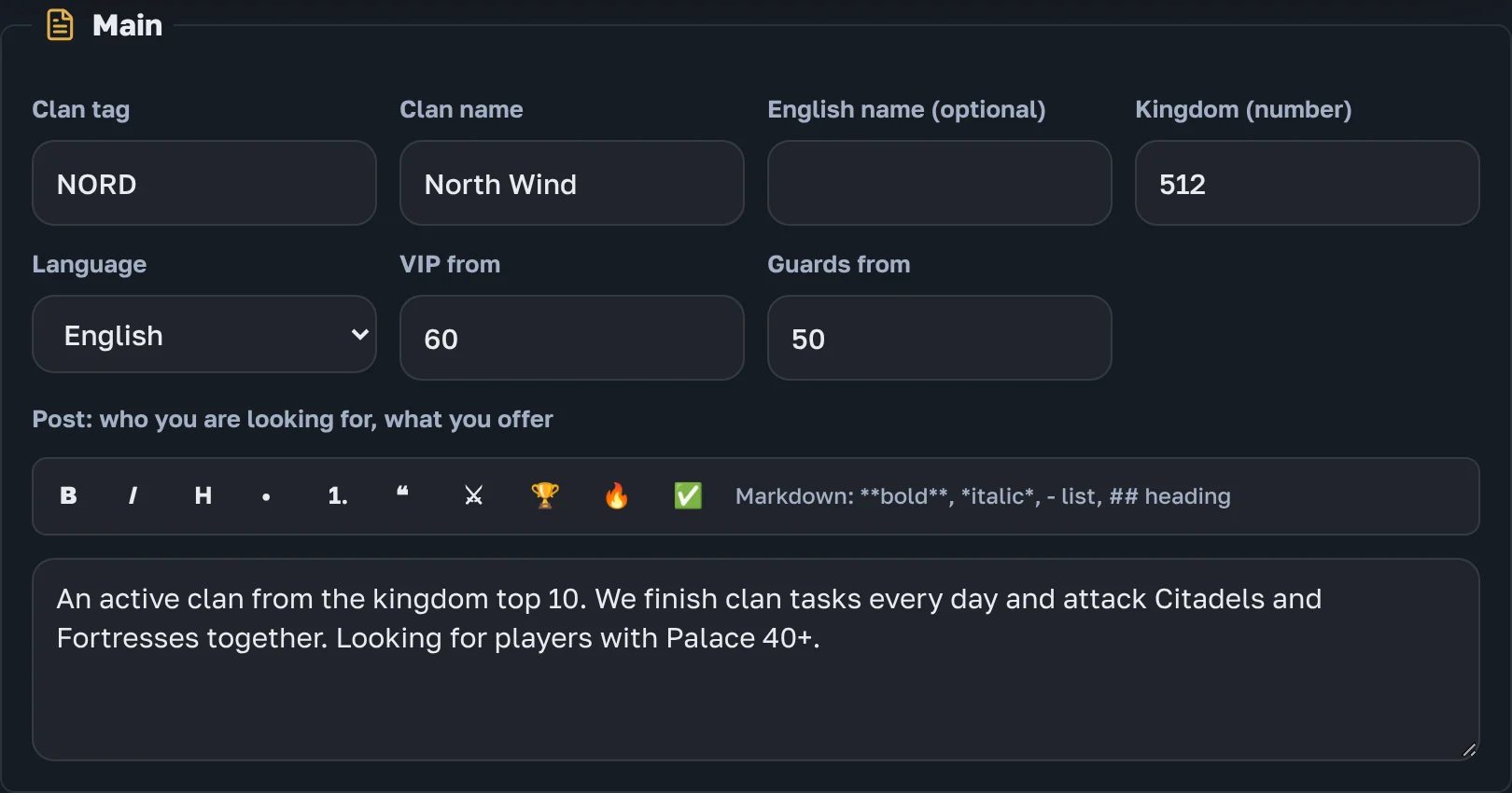
Main
Tag, name, kingdom, language, requirements and the announcement. Format the announcement with the buttons: bold, italic, lists, icons. You can add an English name and announcement too.
Contacts
Telegram, Discord, VK or in-game nickname. They become buttons on the card.

Achievements, goals and screenshots
Write achievements and goals one per line: they become lists on the card. Below them is the longer story about the clan: history, rules, schedule.
Pictures can go right into the story, exactly where you want:
- Put the cursor on the line the picture should follow.
- Press «Photo» on the toolbar above the text, paste a picture (Ctrl+V) or drag a file into the text.
- A line like  appears. The picture shows in its place. To move the picture, cut that line and paste it elsewhere.
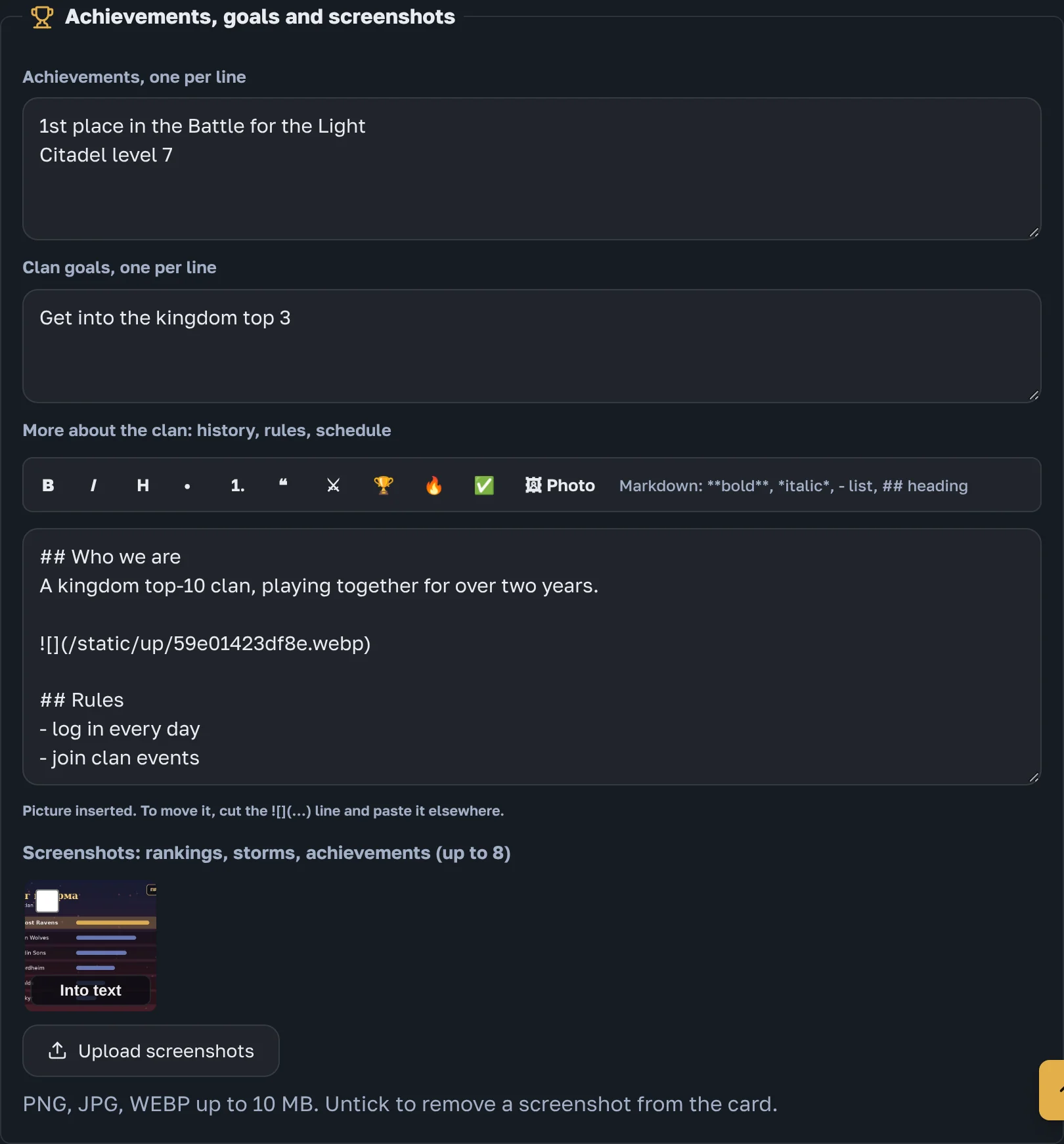
The screenshots under the story (up to 8) are a separate strip at the bottom of the card. Ticked ones are shown there. «Into text» on a screenshot moves it into the story, where the cursor is. The site shrinks large pictures before uploading them.
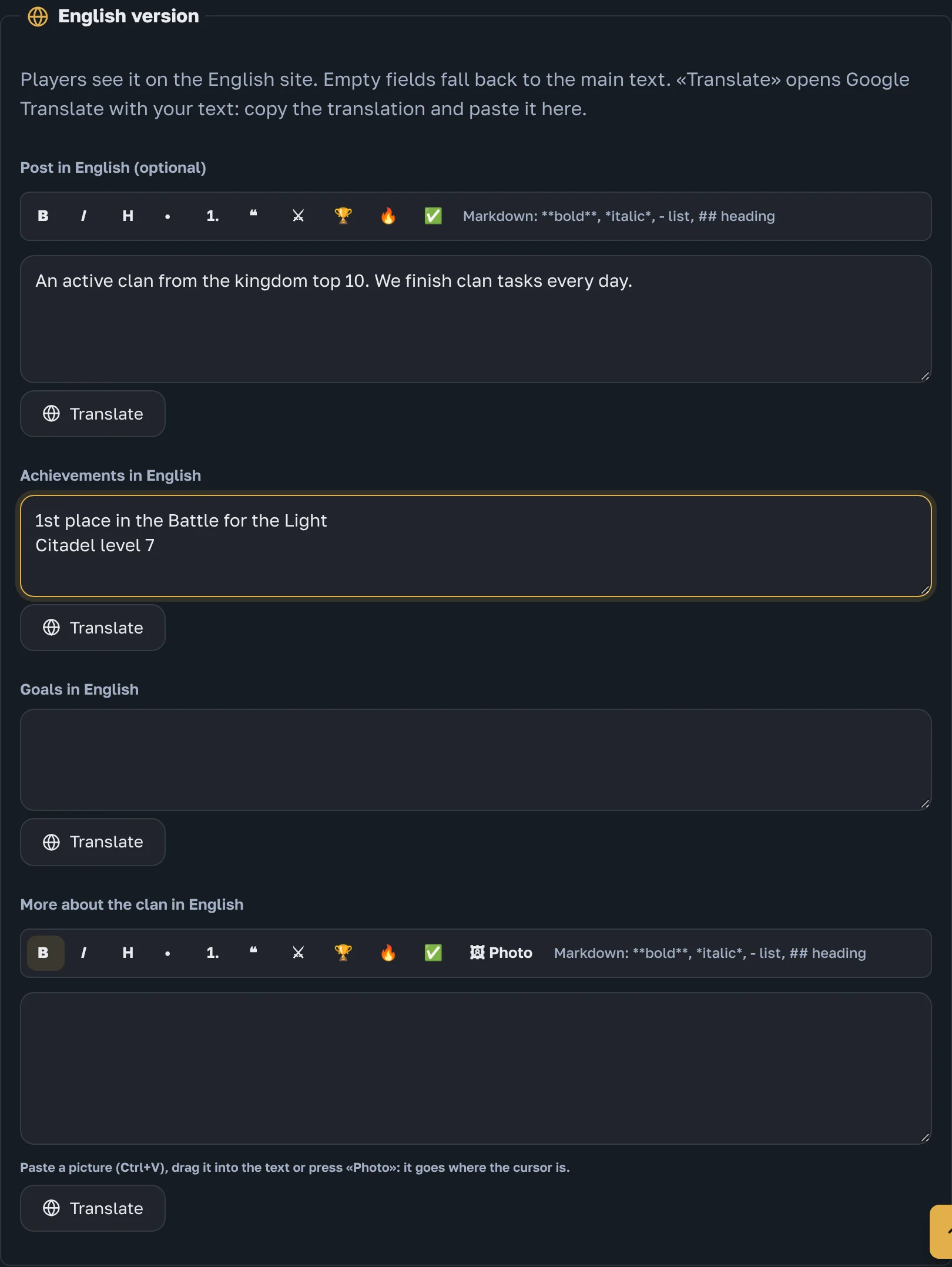
English version
The announcement, achievements, goals and story can be written in English for players on the English site. «Translate» opens Google Translate with your text; copy the translation into the field. Empty fields fall back to the main text.
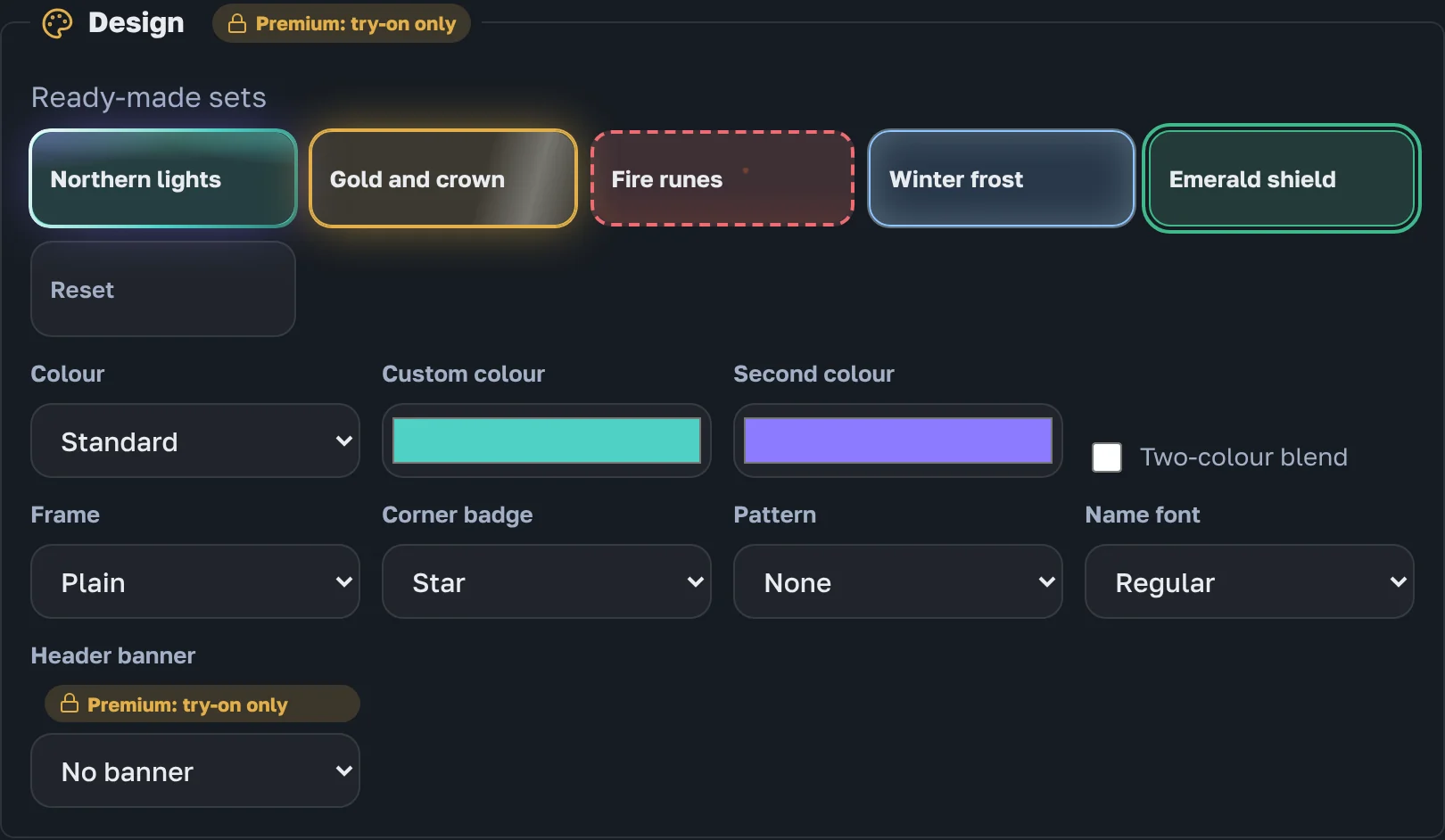
Design
Ready-made sets, colour, frame, badge, pattern, font and animation. This is premium: without it you can try the design on in the dashboard, but it does not go to the site.
Remember to press «Save» at the bottom of the dashboard.
Try it on without applying
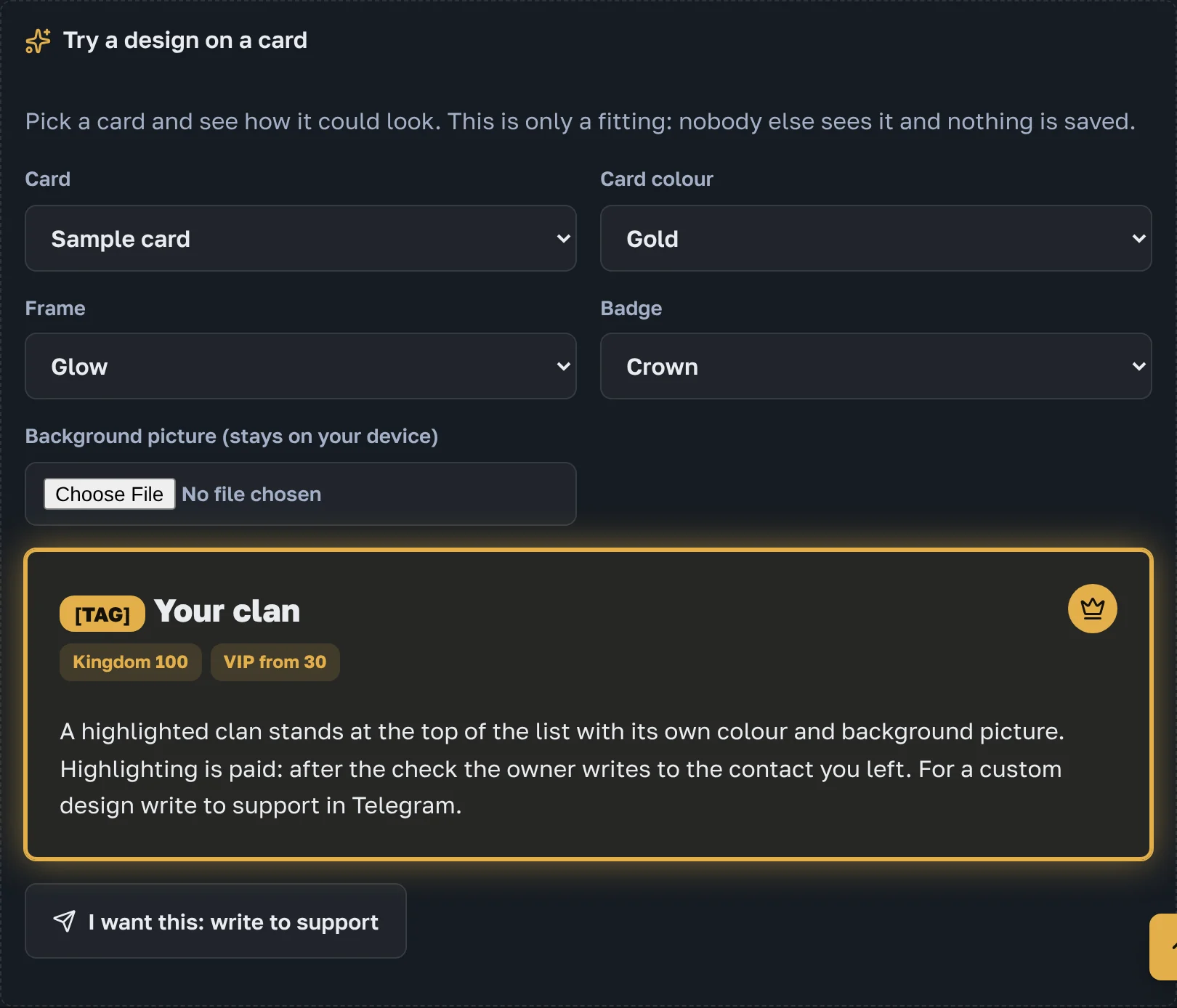
The «Clans» page has a «Try on a design» block. Pick a colour, frame and badge and see how the card would look. It is only a try-on, nothing is saved.
When the clan appears
The site owner checks every application personally, usually within a day. After approval, changes made in the dashboard show on the site at once.